PT Session Timer
Know exactly how long every job takes.
PT Session Timer quietly tracks the time you spend working in Pro Tools and groups it by job, so logging billable hours takes no effort at all.
See exactly where the time went
Per-day totals grouped by job and split across edit, playback/mix and process, with one-tap billed tracking and CSV or PDF export.
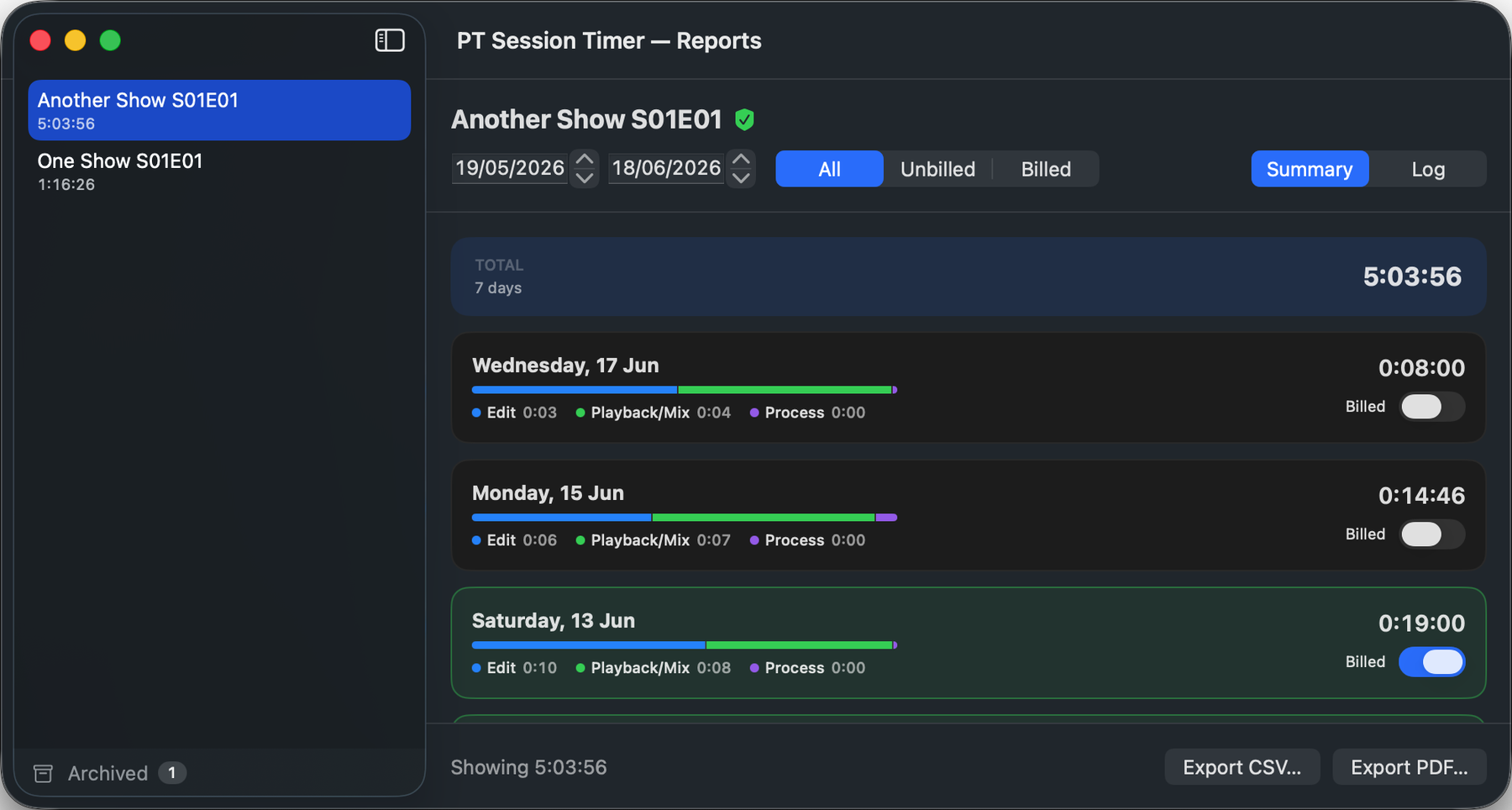
Effortless, accurate time logs
It runs in the background and gets the numbers right, so you can just work.
Automatic tracking
Lives in the menu bar and starts the moment you work. No timers to start, stop, or forget.
Counts real work
Time only accrues when Pro Tools is up front and you're actually editing or playing back, or while you're in a companion app you've defined, such as Soundminer or RX. Step away and it pauses.
Idle roll-back
Go idle for a duration you set, and it quietly rolls back the gap, so your logs reflect hands-on time, not coffee breaks.
Group sessions into projects
PT Session Timer lists your time session by session, and lets you group related sessions into a single project whenever you need a combined view. Grouping is non-destructive, so individual sessions are never altered.
Mode breakdown
See where the time went, split across editing, playback, recording and companion app use for every job.
Export to CSV & PDF
Date-range reports and formatted job sheets, ready to drop into an invoice.
Built for the people who bill by the hour: mixers, editors and audio post pros who need an honest record of time on every job, without lifting a finger.